Digital art guide · Haven Art House · artwork by Kimberly Marnell
How to print your 2027 art calendar: paper, settings and hanging
· Haven Art House · artwork by Kimberly Marnell
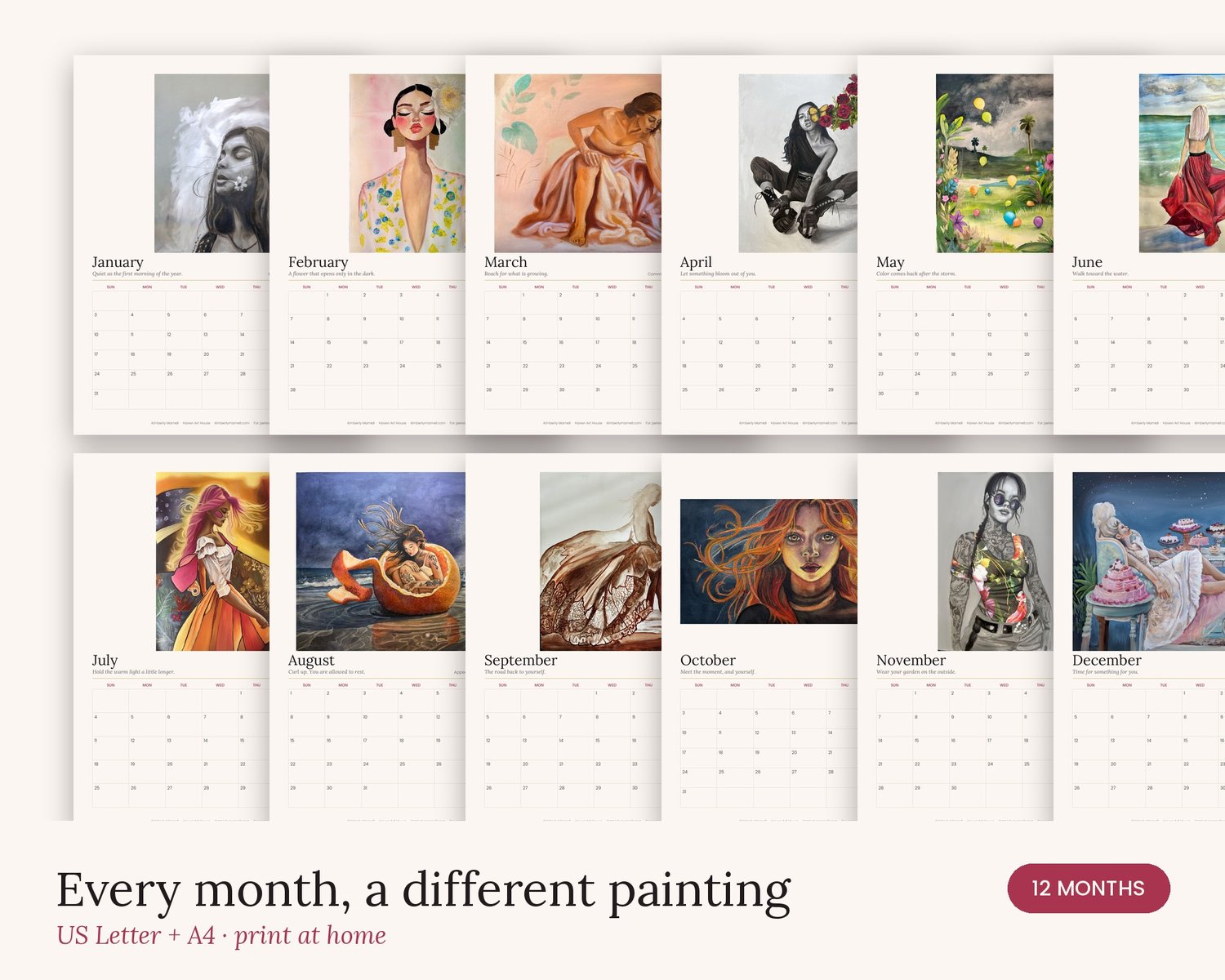
A printable calendar lets you choose the paper and how it hangs. The important first step is choosing the PDF that matches your paper, then printing one month before committing to the whole year. Here is a practical setup for Kimberly Marnell’s 2027 Printable Wall Calendar.
The download includes US Letter and A4 editions of a 14-page calendar: a cover, twelve monthly pages with twelve paintings, and a closing page. Weeks begin on Sunday. This is a digital download; paper, printing and binding are separate.
Choose Letter or A4 before opening the print dialog
Use the US Letter PDF with 8.5 × 11 inch paper, or the A4 PDF with 210 × 297 mm paper. These sheets have different proportions. Selecting the matching edition avoids making the calendar smaller simply to fit another paper size.
Download the purchased files to your device and open the calendar PDF rather than printing a shop preview or screenshot. The preview JPGs show the product; use the PDF for the monthly pages. Read any instructions supplied with your download before changing settings.
Choose paper for the way you will use it
For a calendar you will write on, matte paper is a useful starting point. Check that your pen writes cleanly and that the surface is compatible with your printer. Heavier matte paper or cardstock gives a page more body, but a printer’s supported paper weight and feed method set the limit. Check the printer manual before loading a thick sheet.
If you are undecided, print one page on paper you already have. Look at the painting in daylight and write in one date square. You are checking two jobs: an image you enjoy looking at and a surface that works for your notes. Paper and ink affect the result; the screen is not a promise of an exact color match.
Print one month and check these settings
- Select the physical printer, the matching Letter or A4 paper size, color printing and one page per sheet.
- Start with Actual Size or 100% and inspect the preview. Confirm that the entire month, dates and artwork are inside your printer’s printable area.
- If an edge will be clipped, use Fit to keep the whole page visible. That may reduce the design slightly. Leave borderless enlargement off unless you have checked that it does not crop any content.
- Print a single monthly page, single-sided. Choose the paper type that matches the sheet you loaded and an appropriate quality setting.
- Check the month title, first and last date columns, writing space and artwork. Let the ink dry before stacking or handling the print.
Adobe distinguishes Actual Size, which leaves the page scale unchanged, from Fit, which adjusts it to the printable area. Its page-sizing instructions explain the controls; their names can differ in other PDF readers.
Clip it, display a month, or ask for binding
A clip lets you change one monthly sheet without committing to holes. Check that the clip does not cover the title or art, and use hanging hardware suitable for your wall and the finished stack. If you prefer a stand, check its paper capacity and whether the page remains readable.
For spiral or wire binding, ask the print shop to inspect the top clearance before punching. Request a proof if the holes could touch the design. Printing and binding costs vary and are not included in the download. Tell the shop this is a personal calendar; permission to print your copy does not permit selling calendars or sharing the files.
Fix the common problems before printing the rest
- The page looks too small: check that the PDF and loaded paper match, then look for an automatic Fit setting. Keep a small reduction if it is necessary to prevent clipping.
- The edges disappear: check the preview and disable borderless expansion or cropping. Use Fit if the printer cannot accommodate the complete page at 100%.
- The colors look different: confirm that grayscale is off and the paper-type setting is appropriate. Compare a dry print in normal room light before making a full set.
- You cannot find a month: check the PDF’s page thumbnails. The fourteen pages include a cover and closing page as well as the twelve months.
Choose the calendar on its own or the bundle
If you want the calendar, view the 2027 Printable Wall Calendar and its current price. If you also want the guided journal, six notecards and eight phone wallpapers, compare the Quiet Moments Bundle. The same calendar is included in the bundle, so you do not need both purchases for it.
For the full comparison, read calendar or Quiet Moments bundle: what will you use? Choose the download that fits your plans, then start with one proof page.